
Keep creating value, grow better together
The app, the private AI and the robots for your grow rooms and factories.BigG Group builds the app that runs your grow rooms, the private AI that lives inside your building, and the robots that act on both, on the lighting, control and sensor hardware we have shipped for years.
- 960B
- Parameter model running on-prem
- 128K
- Token context window, same local model
- 11
- Languages in the Big G plus App
- 100%
- Of your data stays on your premises by default
Four lines of business. One platform underneath.
Start with one. Each part works on its own, and they get better together.
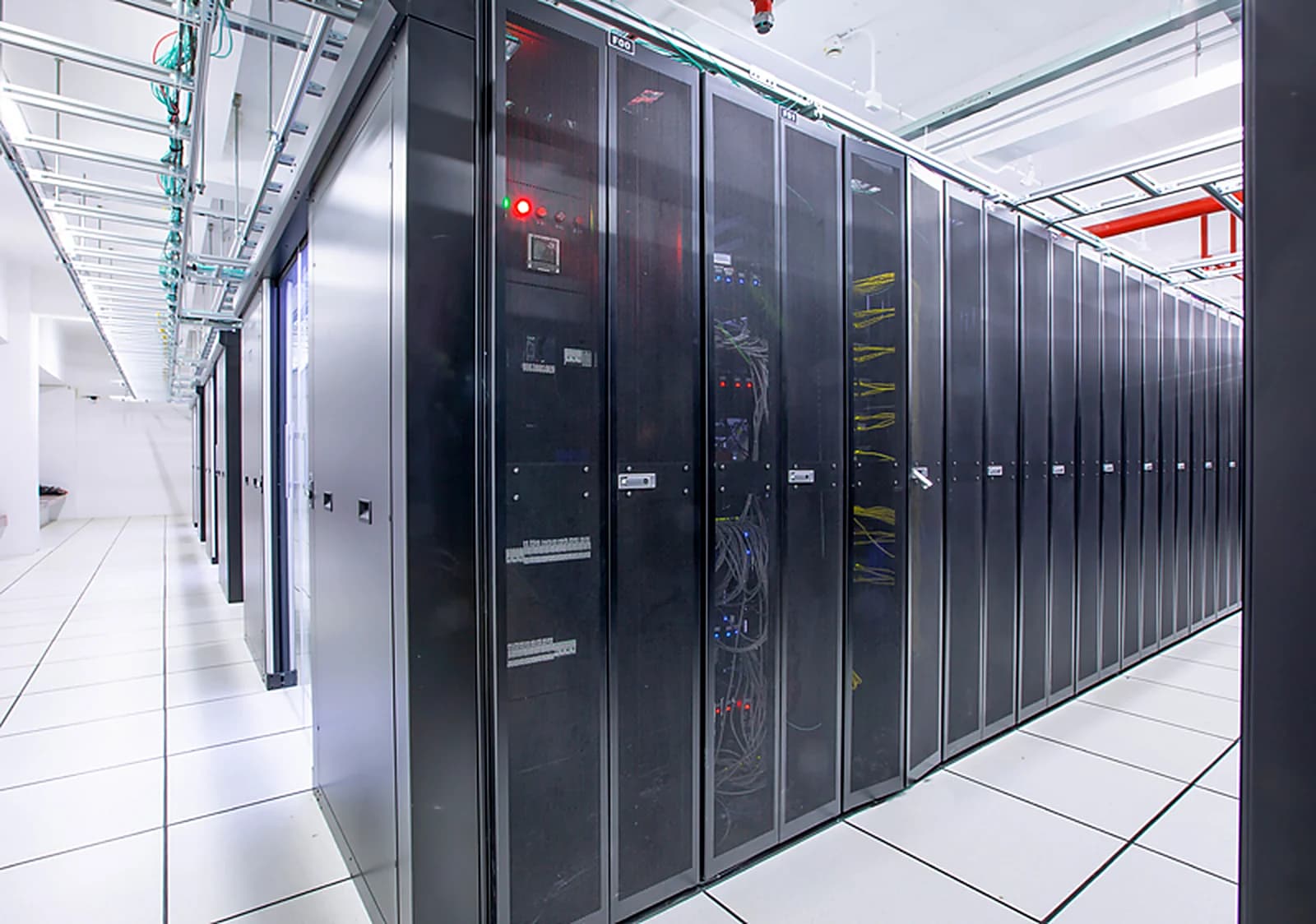
Private AI, inside your building.
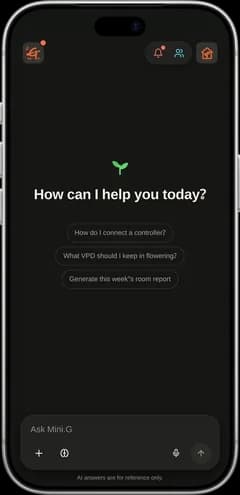
Large language models, document search and agents on GPU servers in your own server room. Sized, installed and run by us. Your keys, your racks, your logs.
Learn moreEvery room in your pocket.
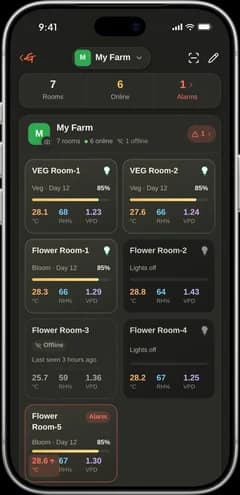
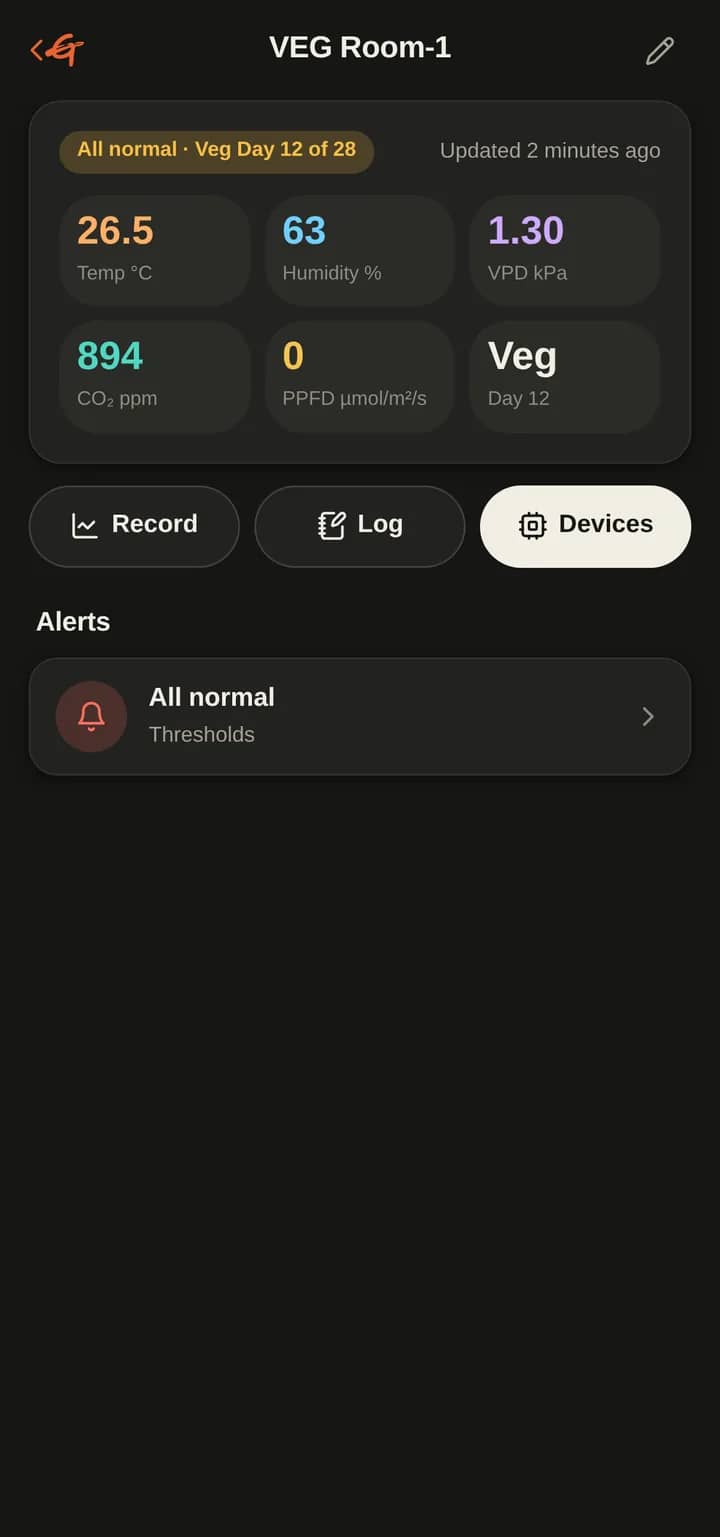
Live climate, device control, alarms and logs for every grow room.
Live on Google Play
Robots for the plant factory.
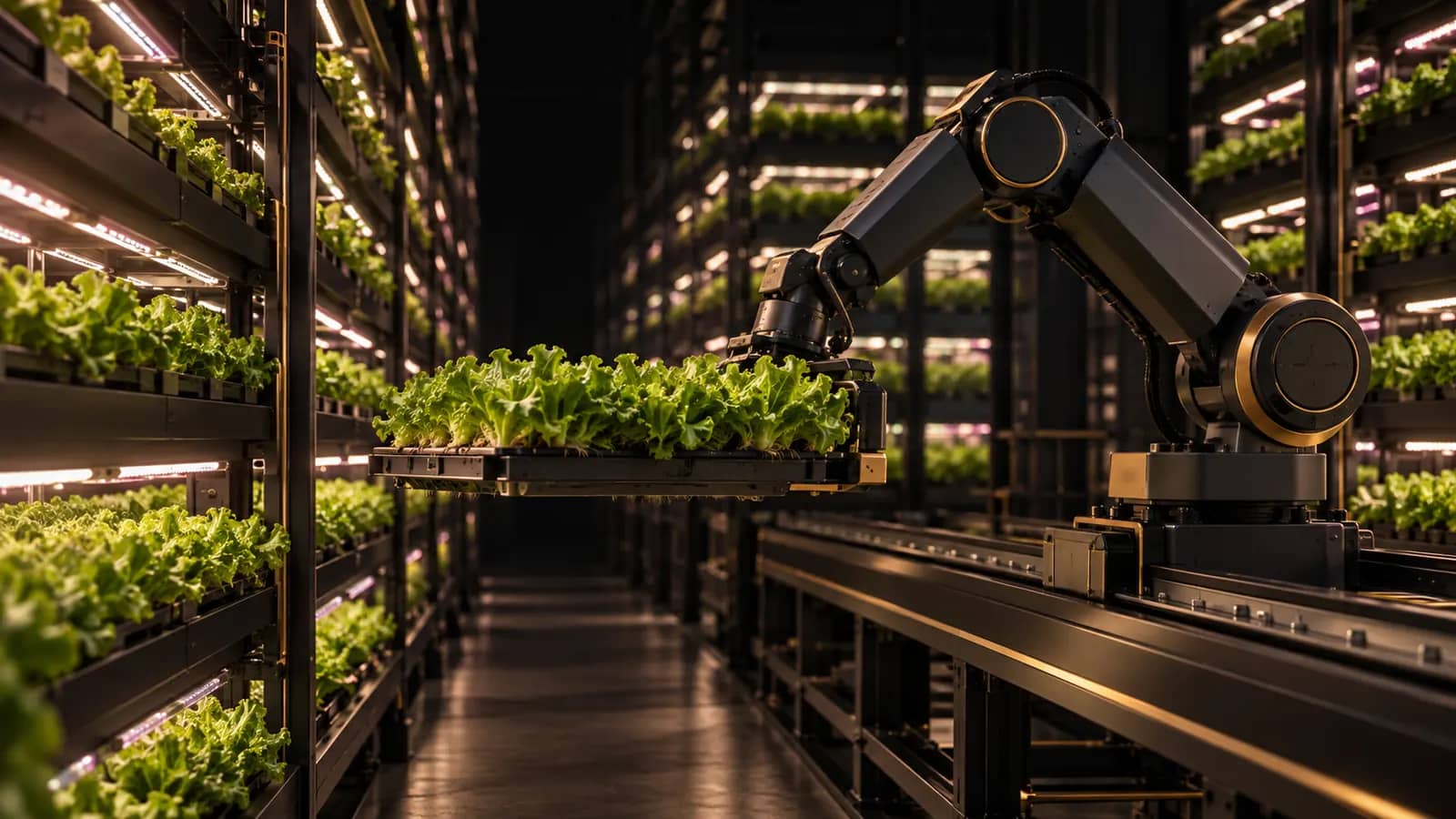
Automation, inspection rounds and voice-directed shop-floor agents.
Learn more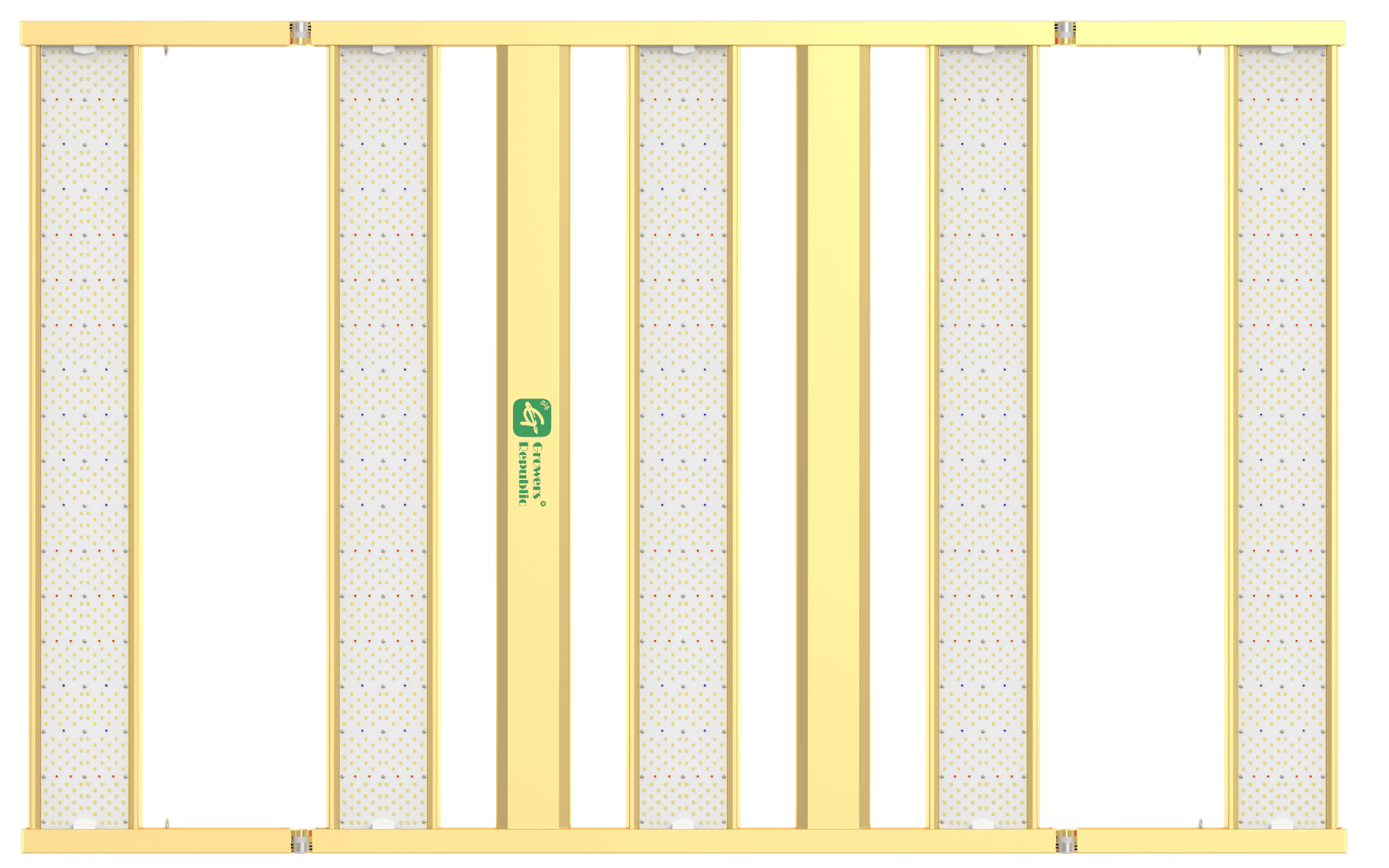
Light and control, engineered as one.
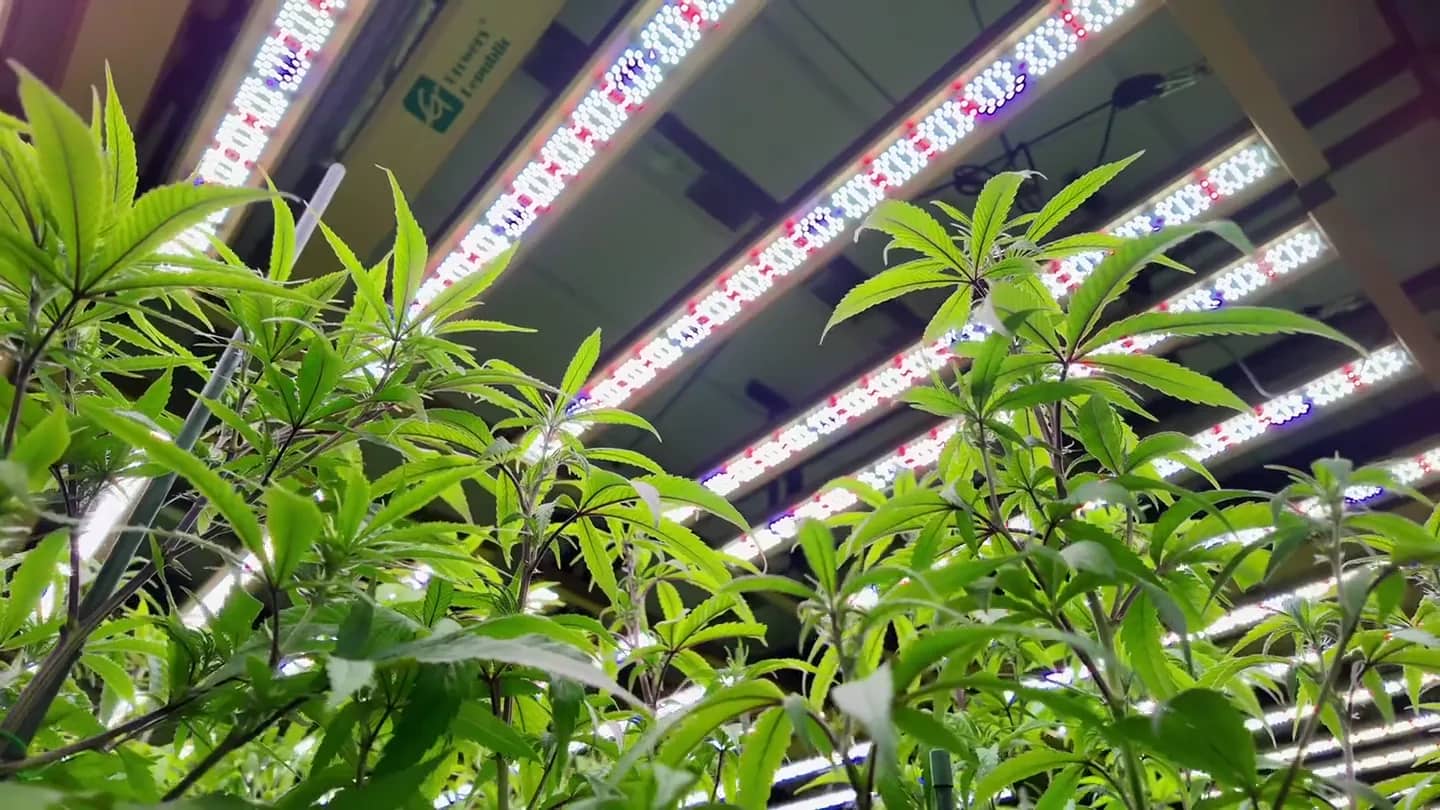
S1200 / S3400⁺ · 1200W five-bar top light for late flowering.
Learn moreSpeaks the floor's languages.
Room 3 humidity is high. Please check the dehumidifier.
ความชื้นในห้อง 3 สูง กรุณาตรวจสอบเครื่องลดความชื้นด้วย
Know before the crop does.
- Room 3 · Humidity above limitnow
- Room 5 · Dehumidifier offline4 min
- Room 1 · Lights on scheduleok
Ask the company, not the internet.
Section 4.2 of the irrigation manual: flush weekly, acid rinse monthly. Want the checklist?
From sensor to robot, one data loop.
Every reading flows into one AI server inside your site. Decisions flow back out to phones, agents and machines. Nothing leaves the building unless you decide it should.
1 · Sense
2 · Reason
Big G AI server
Your site · LAN only
3 · Act
IoT sensors
IoT sensors
Temp, RH, CO₂, light
Controllers
Controllers
Fans, irrigation, climate
LED lighting
LED lighting
Schedules and dimming
Cameras
Cameras
Canopy and line vision
Big G AI server
Models, knowledge, agents
Big G plus App
Big G plus App
Rooms, alarms, control
Robots
Robots
Automation and rounds
Agents and voice
Agents and voice
Chat, ERP, commands
Desktop and dashboards
Desktop and dashboards
Operations overview
Sense
Sensors, controllers and cameras stream into one record.
Reason
Local models read the record, your documents and your history.
Act
The app, agents and robots carry out the decision.
Large models. Your racks. Your keys.
We size, install and operate large language models on GPU servers inside your company. Staff ask in their own language; answers come from your documents, systems and live data, not a public chatbot.
- Data never leavesModels, documents and logs stay on your network.
- Works offlineNo internet connection needed to answer.
- Grounded answersReplies cite your manuals, SOPs and records.
- MultilingualThai, Burmese, Chinese, English and more.
➜ ~
model960B parameters · local
context128K tokens
knowledgemanuals, SOPs, room logs
networksite LAN only
cloud AI callsnone · ready
Your data stays in the building.
The difference between renting a public AI and owning one.
| Public AI API | Big G AI on-prem | |
|---|---|---|
| Where your data is processed | Vendor data centre | Your server room |
| Works without internet | No | Yes |
| Billing | Per token, ongoing | Hardware you own |
| Who holds the keys and logs | The vendor | You |
| Tuned to your documents | Limited | Full knowledge base |
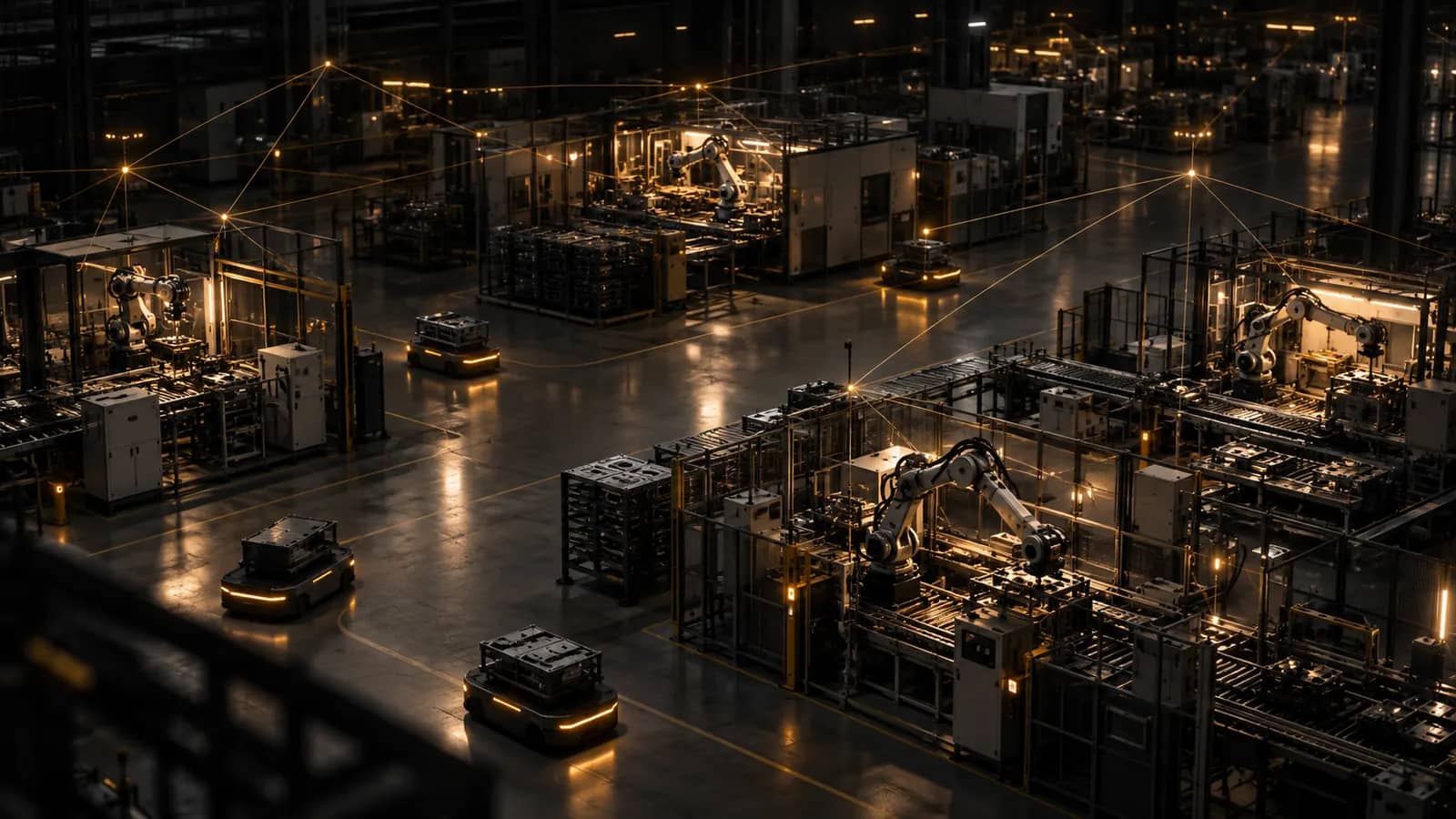
Machines that work the night shift.
Robots and agents running on the same controllers, sensors and local AI as the rest of your site.
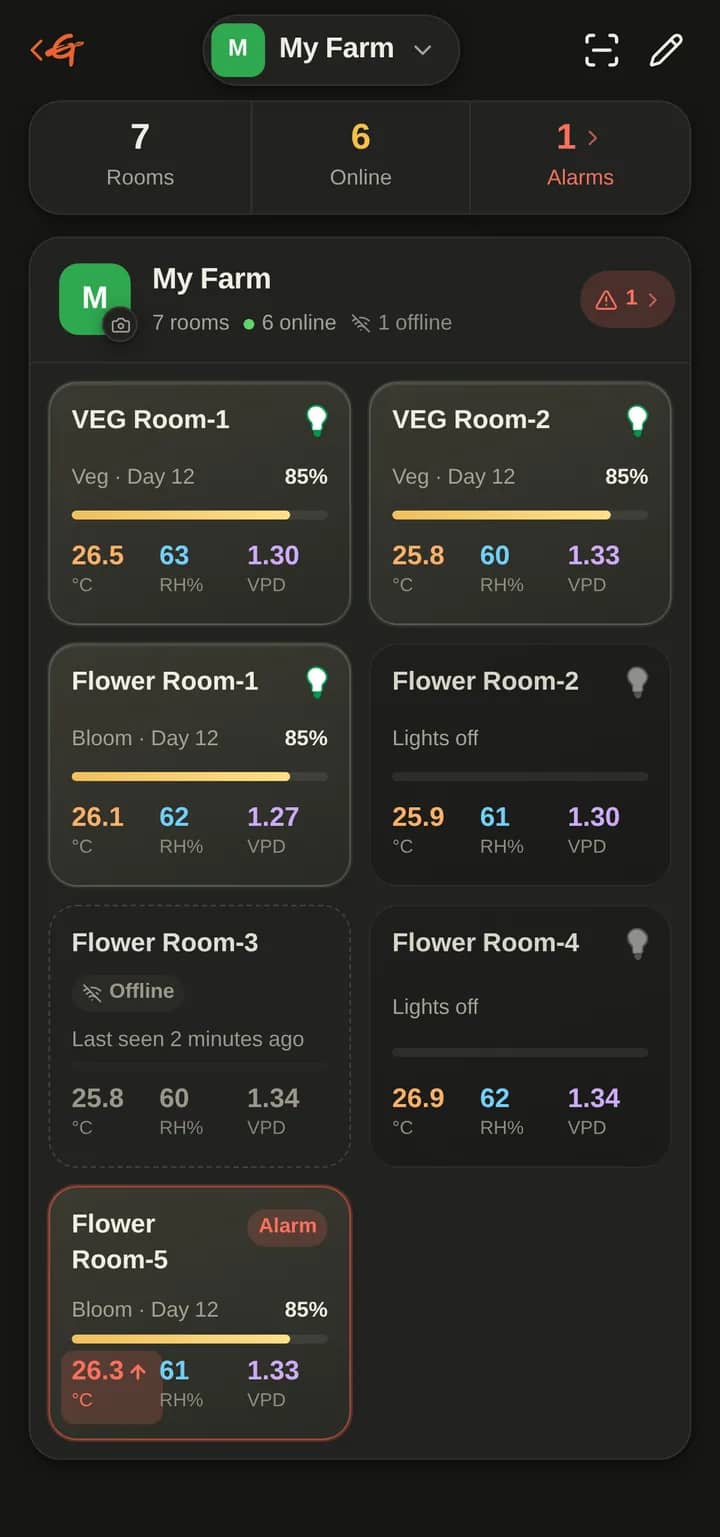
The grow room, on the phone you already carry.
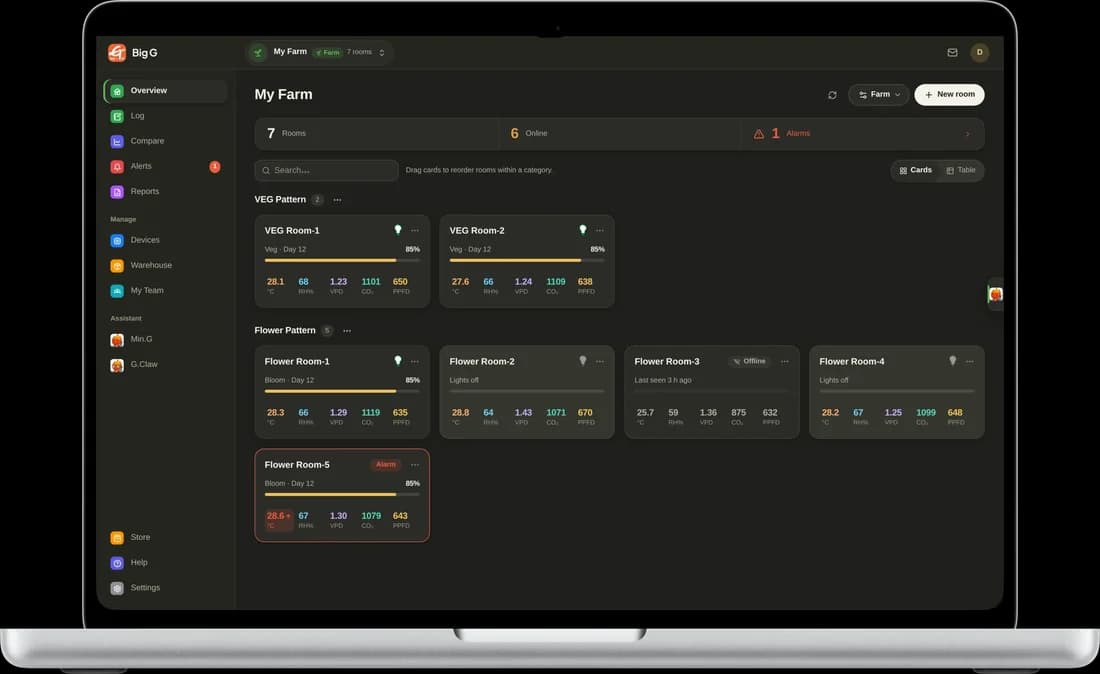
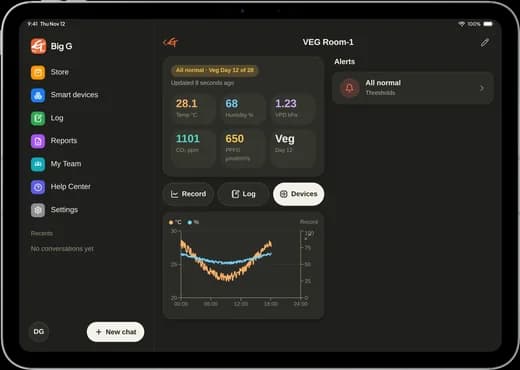
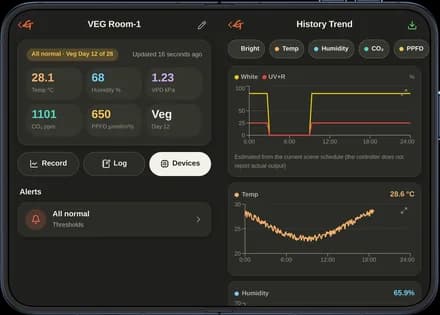
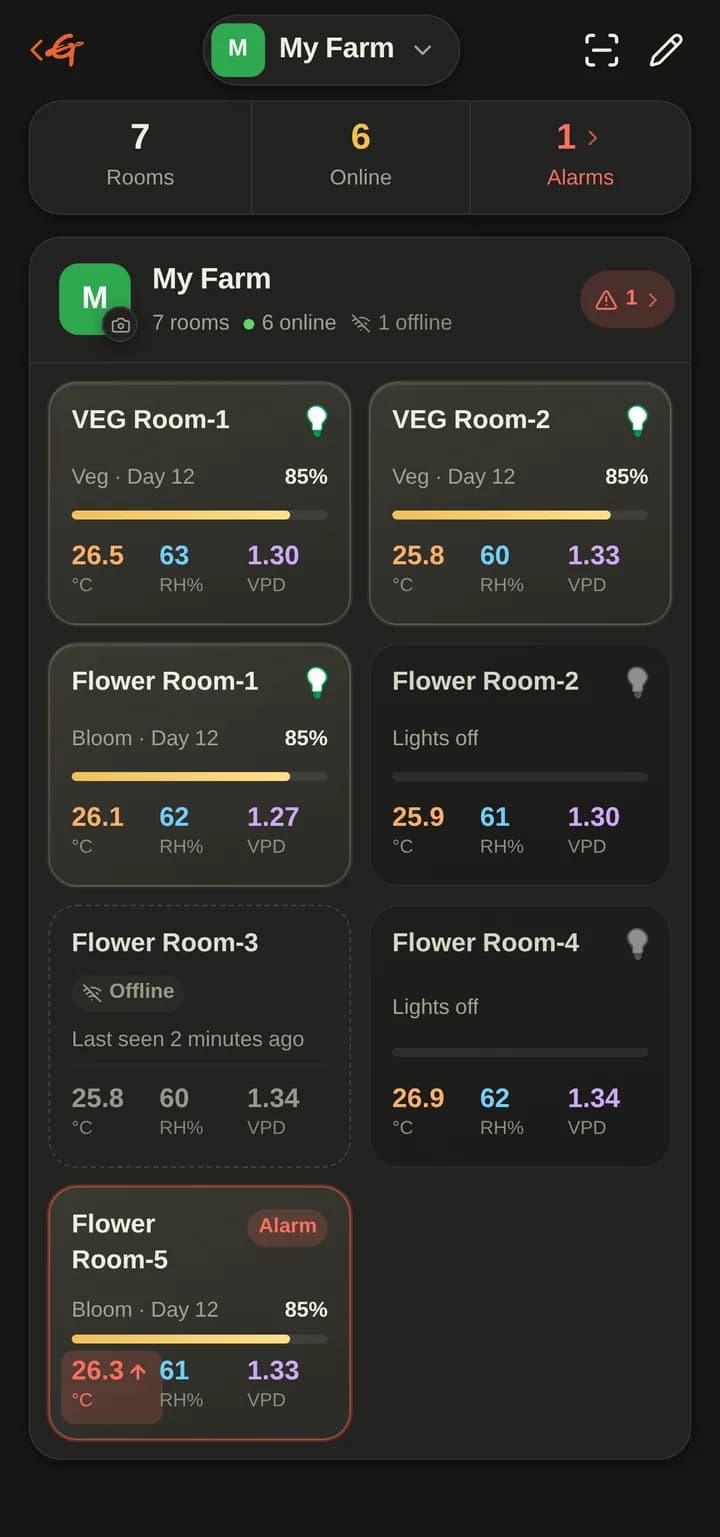
Big G plus connects to your controllers and sensors so every room, device and alarm is one tap away, in eleven languages.
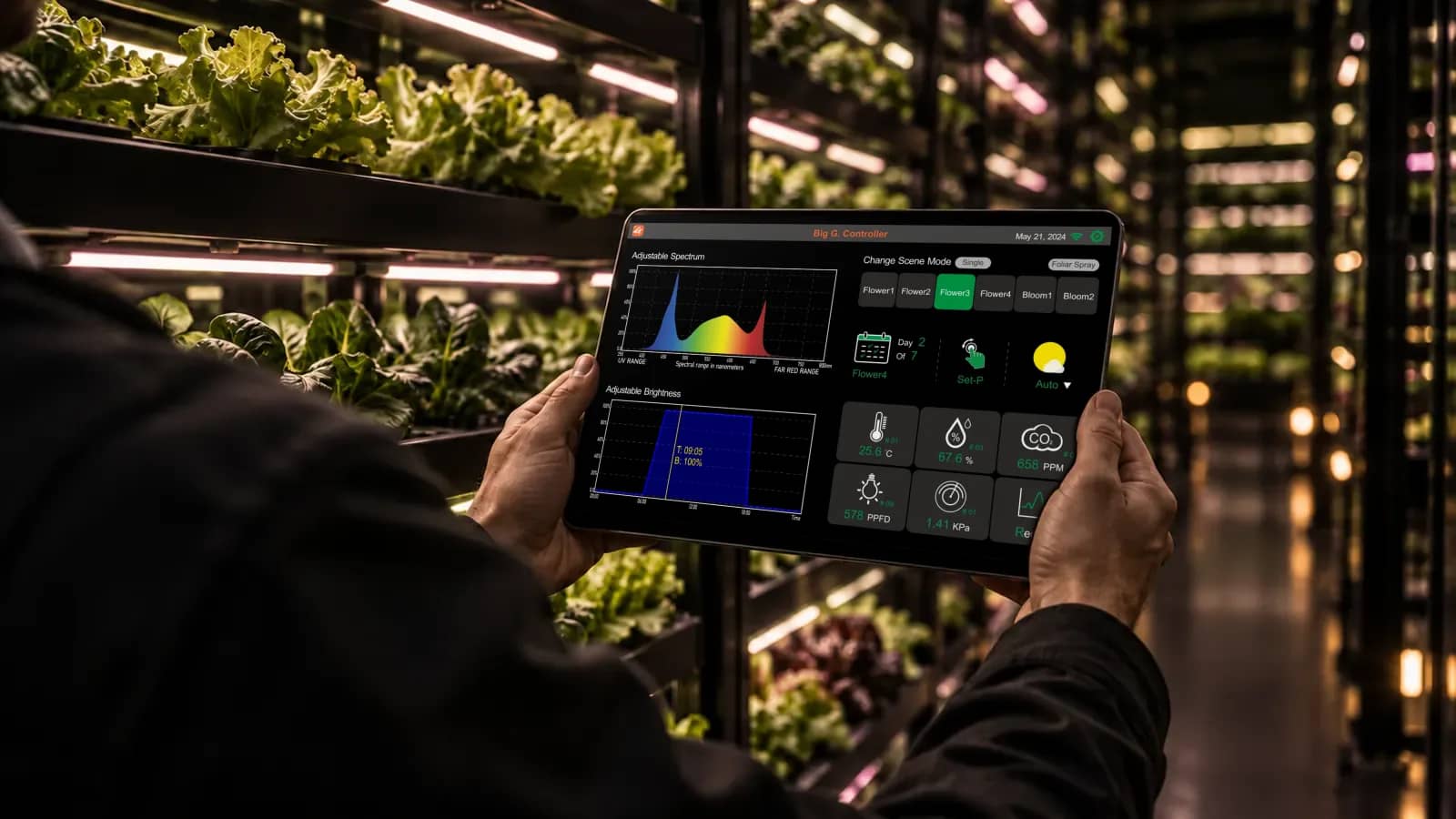
Rooms and live data
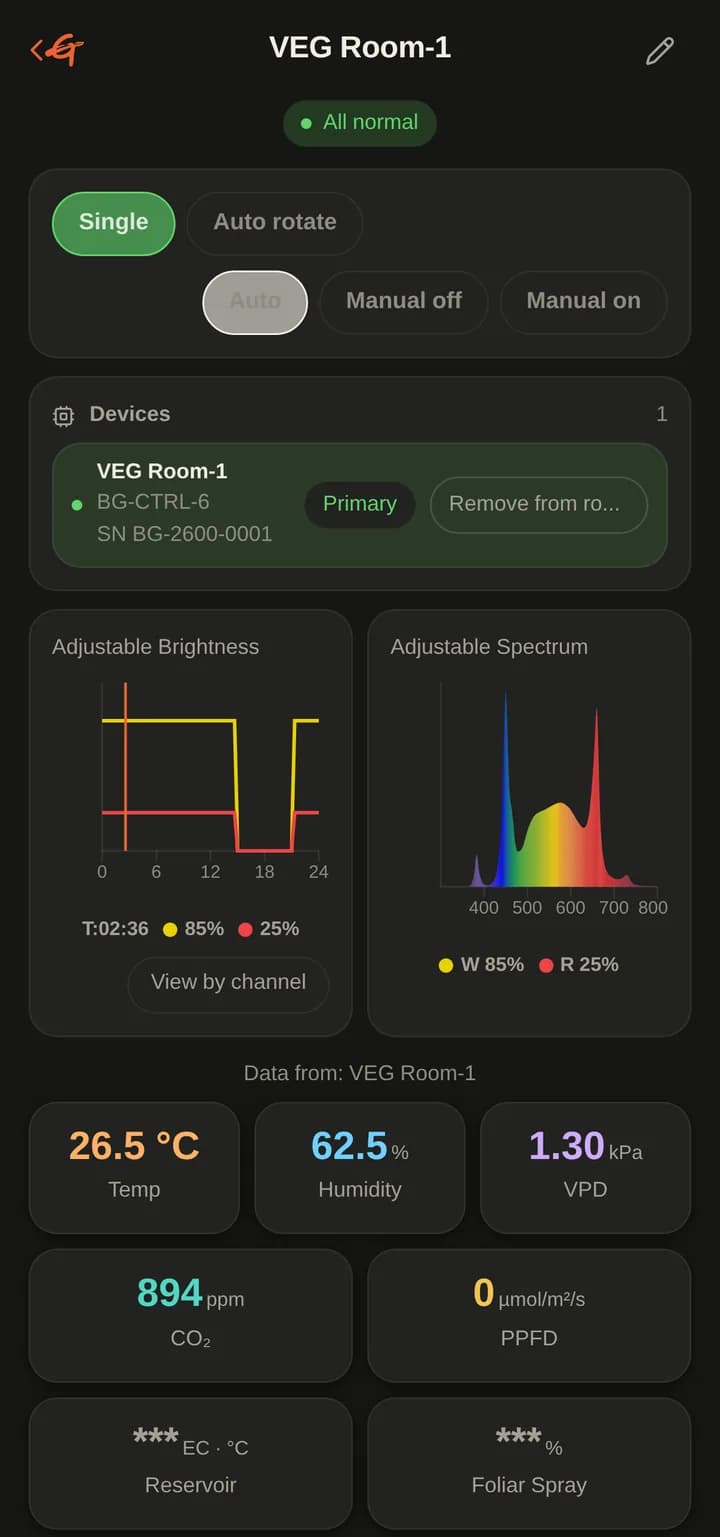
Temperature, humidity, VPD, CO₂ and light for every room, sampled continuously from one designated device per room.
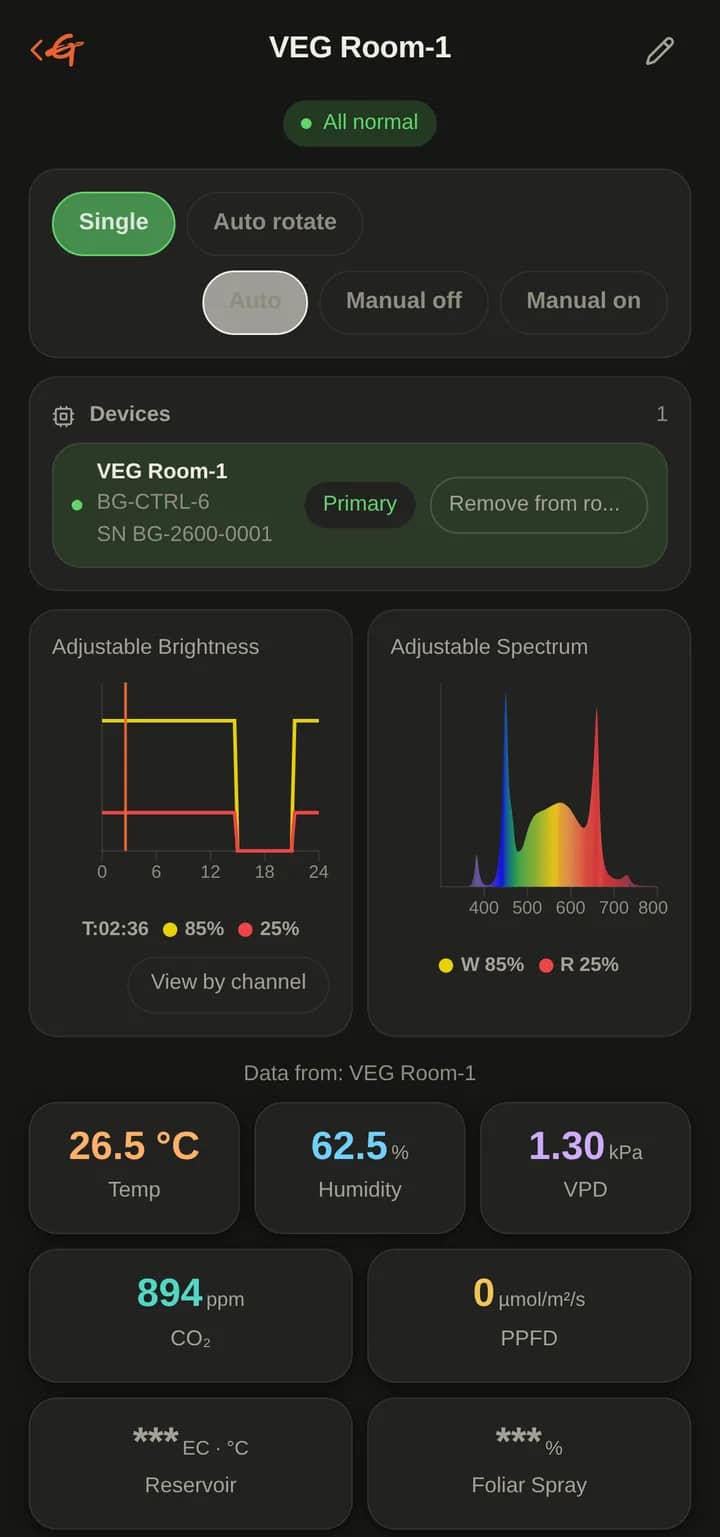
Device control
Lights, fans, dehumidifiers and irrigation from one screen. Schedules run on the controller itself, so the room keeps its programme when the network drops.
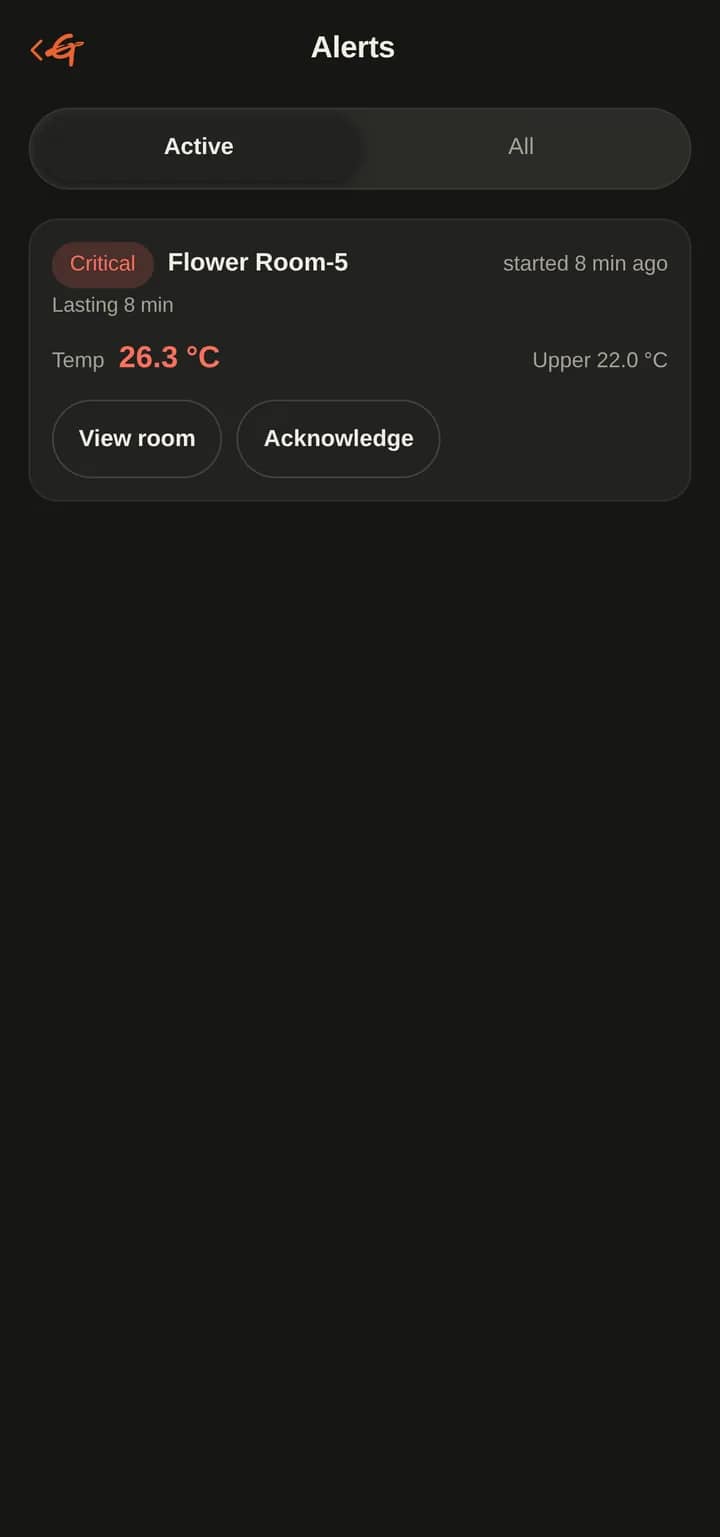
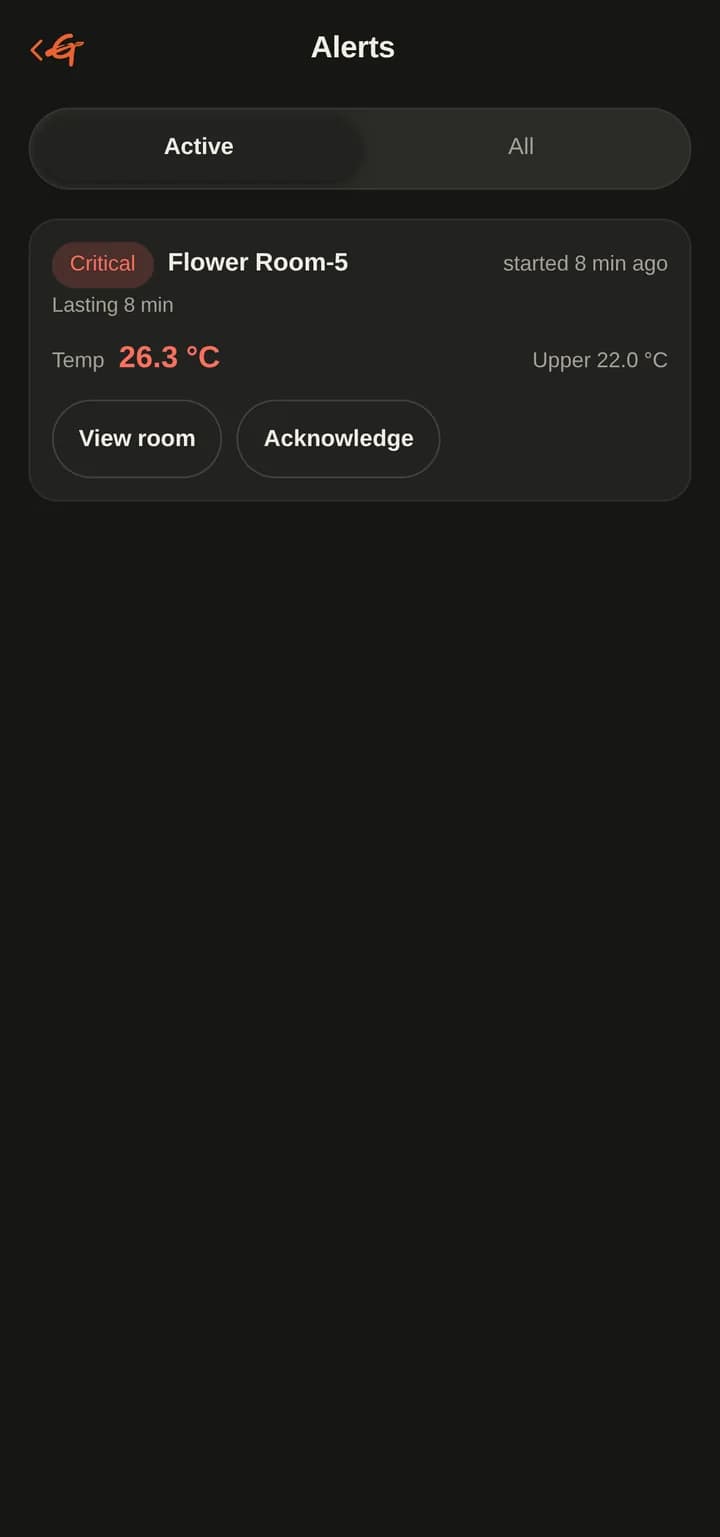
Alarms and logs
Thresholds per room, push alerts to the right people, and a timestamped log of every reading and manual change.
From site visit to running system.
One team from the first site walk to the support line. You end up owning a running system, not a slide deck.
Assess
We walk your floor, map your data and pick the model and hardware that fit the job.
Install
Servers, network, models and devices go in on site. No public cloud account needed.
Connect
Agents plug into your ERP, chat groups, sensors and machines.
Operate
We monitor, update and retrain. You keep the hardware and the keys.
Tell us what your floor needs.
Describe the problem in a few lines. An engineer, not a sales script, replies.